All slider settings live on the app’s Configuration page. Changes appear in the live preview right away and go live on your store when you click Save changes.
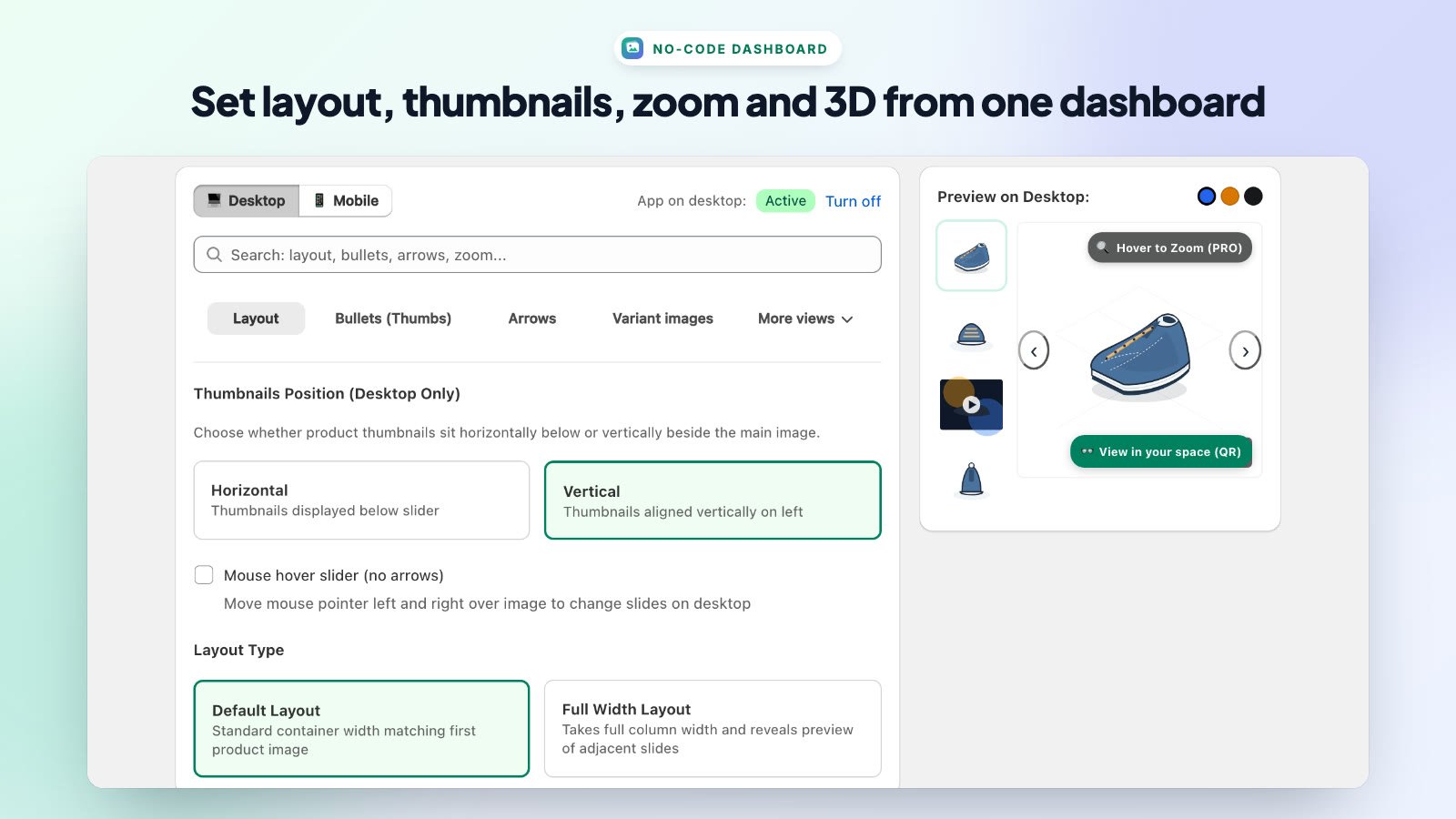
Page Layout
- Free Gallery / PRO Gallery — switch the preview between the free slider and the PRO gallery.
- Desktop / Mobile — choose which device you’re configuring. Use Turn off to hide the slider on that device.
- Search — type a setting name (for example zoom or arrows) to jump to it.
- Settings tabs — Layout, Bullets (Thumbs), Arrows, Variant images, 3D & AR Viewer, Zoom (Magnifier) and Autoplay & Lightbox.
- Preview — a live product preview on the right. Use the color dots to preview variant switching.
Saving Changes
Click Save changes at the top right. Your settings are saved and sent to your storefront; refresh a product page to see them.
Note: On the Free plan you can preview PRO options in the dashboard. Upgrade to PRO 3D to use all features on your live store.
Other Shortcuts
- Theme Editor — opens your theme customizer in a new tab.
- Replay Onboarding Guide — runs the setup guide again.