
Show products as interactive 3D models that shoppers can rotate and zoom, and let them place the product in their own space with augmented reality (AR).
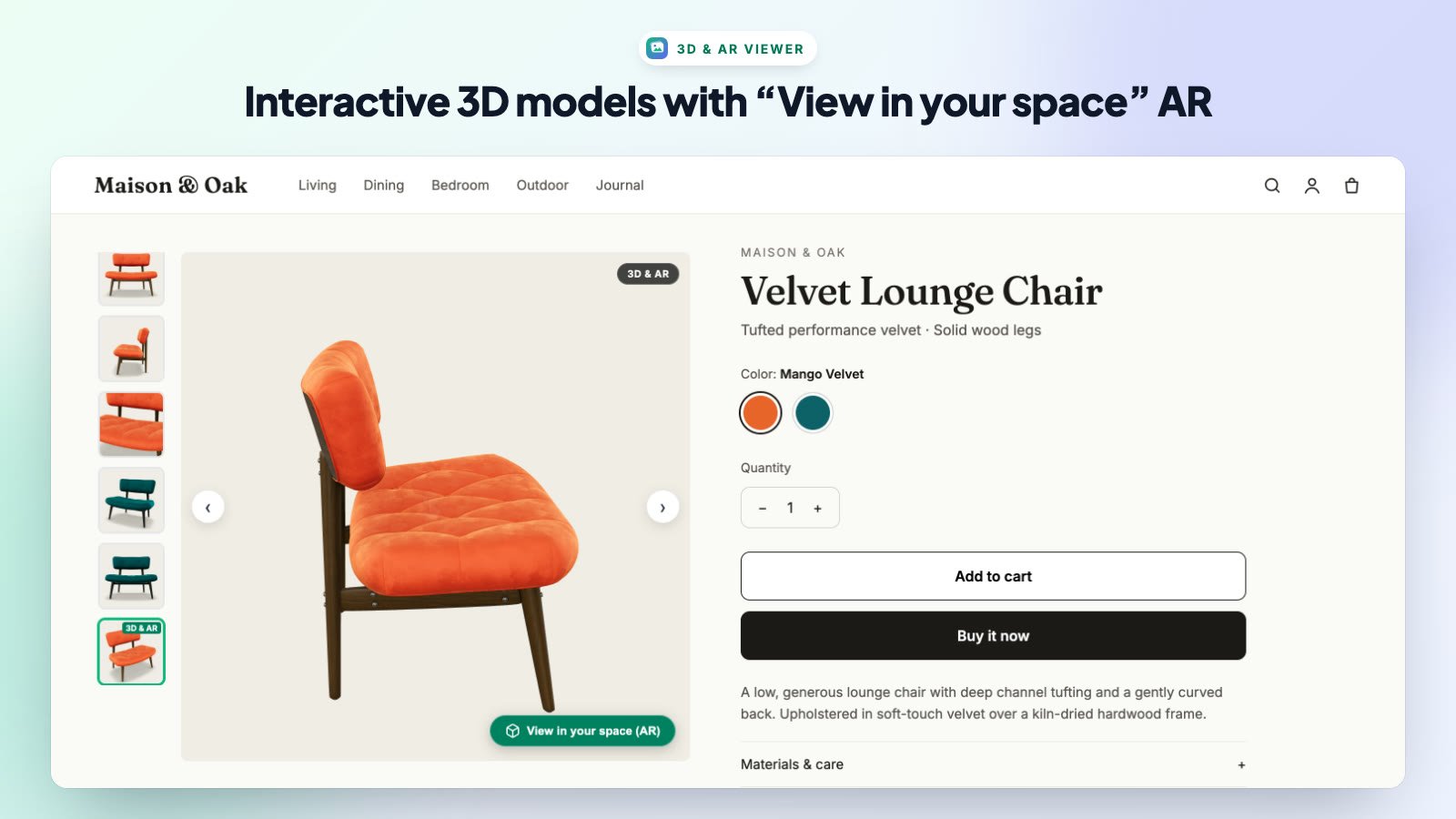
Add a 3D Model to a Product
- In Shopify admin, open Products and select a product.
- In the Media area, upload your 3D model file (.glb is recommended; .usdz is also supported).
- Save the product. The model appears in the slider as its own slide with a 3D & AR badge.
3D & AR Viewer Tab
- Enable 3D Models in Product Slider — shows 3D models inside the slider.
- Auto-rotate 3D model automatically — slowly spins the model until the shopper interacts with it.
- Display ‘View in your space (AR)’ button — adds the AR button to 3D slides.
- 3D Model Stage Background Color — the background behind your model.
How AR Works for Shoppers
- iPhone and iPad: tapping View in your space (AR) opens Apple AR Quick Look.
- Android: the button opens Google Scene Viewer.
- Desktop: the button shows a QR code. Shoppers scan it with their phone to open the product in AR.
Note: If you don’t sell products with 3D models, turn off Enable 3D Models in Product Slider.
Video Slides
Product videos you add to a product’s media in Shopify appear in the slider as video slides with playback controls. Their thumbnails show a ▶ badge.