The Design & Styling panel on the right of the Setup Banner tab has a tab for each part of your bar. Tabs appear only for components you have switched on.
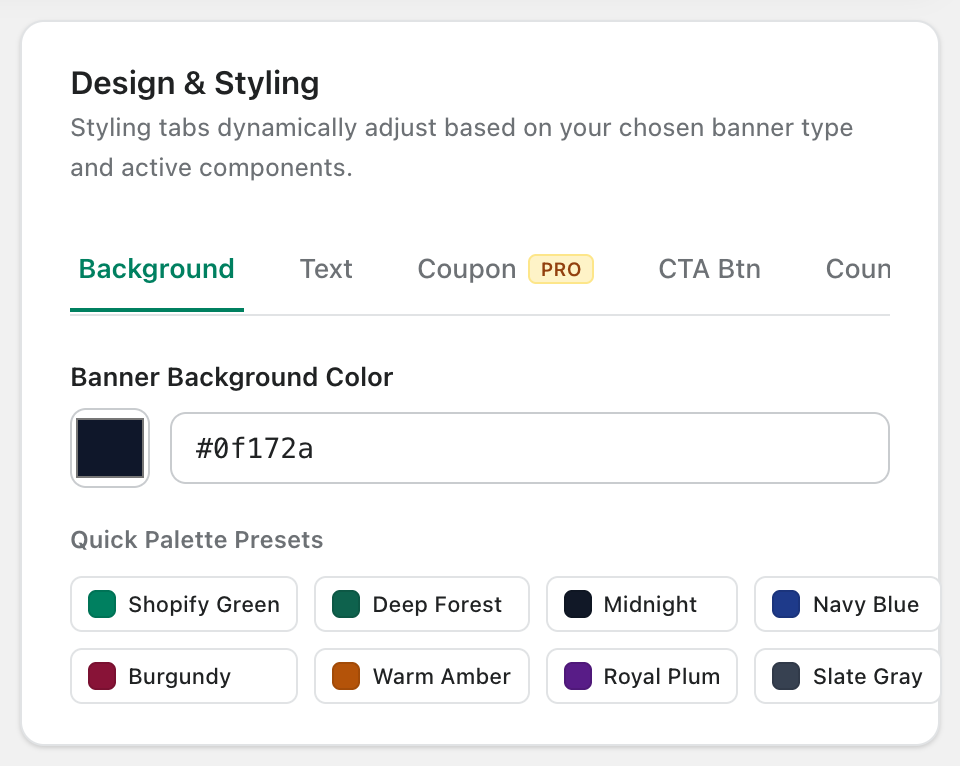
Background
Pick the bar color with the color picker or a hex code, or click a Quick Palette Preset (Shopify Green, Deep Forest, Midnight, Navy Blue, Burgundy, Warm Amber, Royal Plum, Slate Gray).
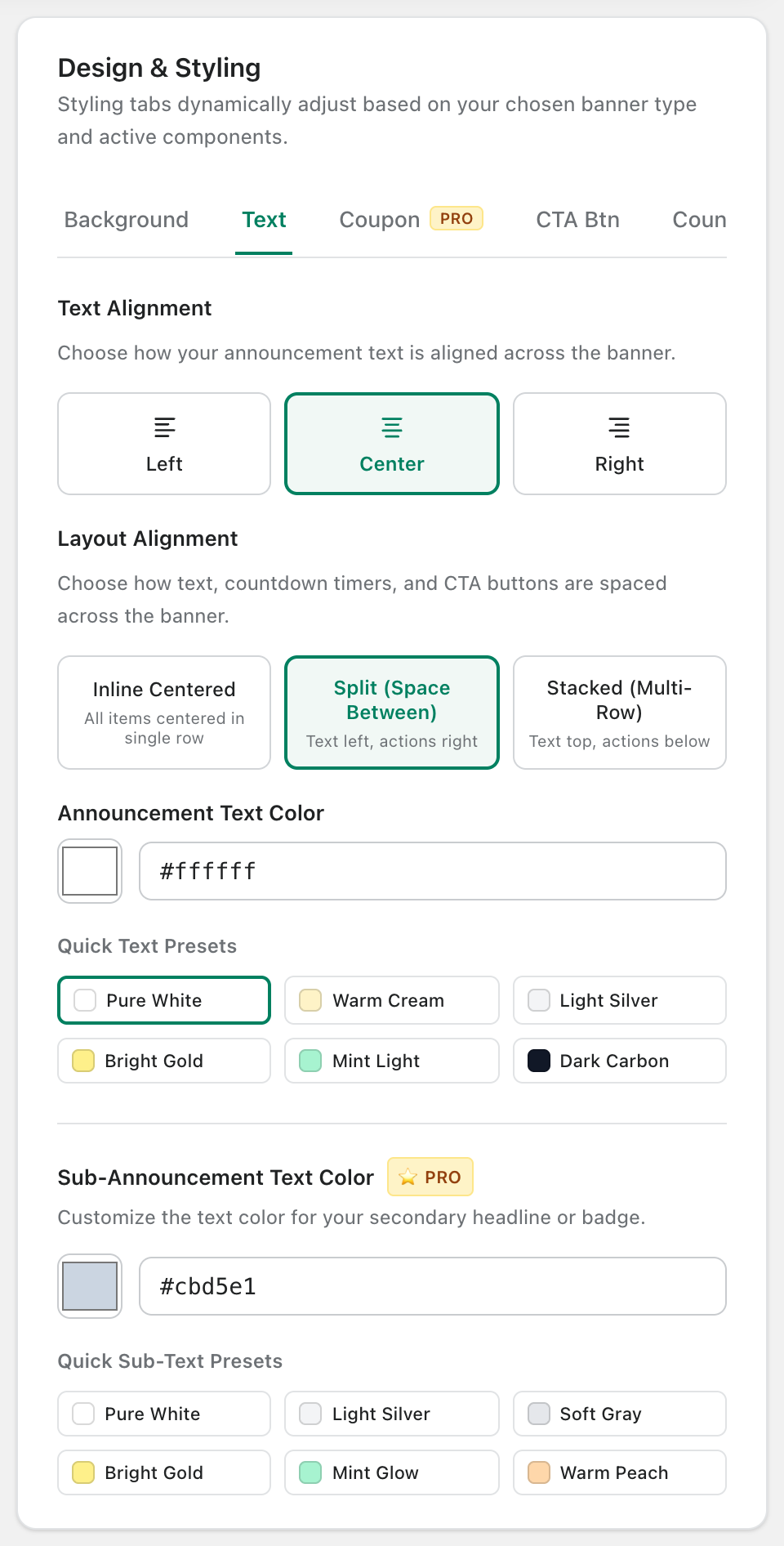
Text
- Text Alignment: left, center or right.
- Layout Alignment: Inline Centered (everything in one row), Split (text left, actions right) or Stacked (text on top, actions below).
- Announcement Text Color and Sub-Announcement Text Color, with quick presets.
Coupon, CTA button and Countdown
These tabs style the components of the same name. They are covered in Coupon Code, Call-to-Action (CTA) Button and Countdown Timer.
Tip: Pick a background first, then use a contrasting button color so your call to action stands out.