wiseBanner opens inside your Shopify admin. The tabs at the top take you to every part of the app.
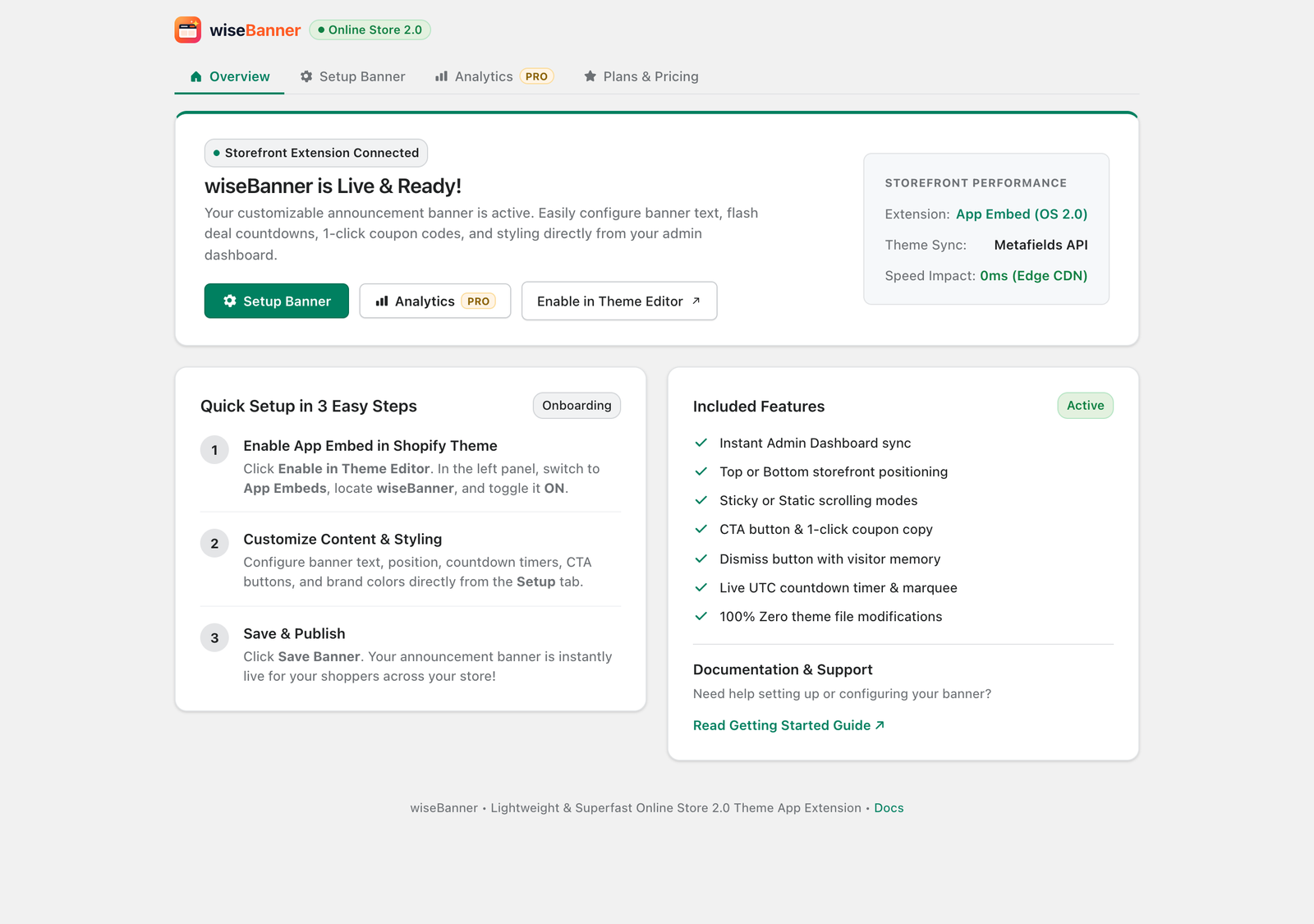
The four tabs
- Overview: setup status, quick links (Setup Banner, Analytics, Enable in Theme Editor) and the 3-step setup checklist.
- Setup Banner: build and style your announcement bar with a live storefront preview.
- Analytics (Pro): impressions, clicks, coupon copies and click-through rate.
- Plans & Pricing: compare the Free and Pro plans, start your free trial, or downgrade.
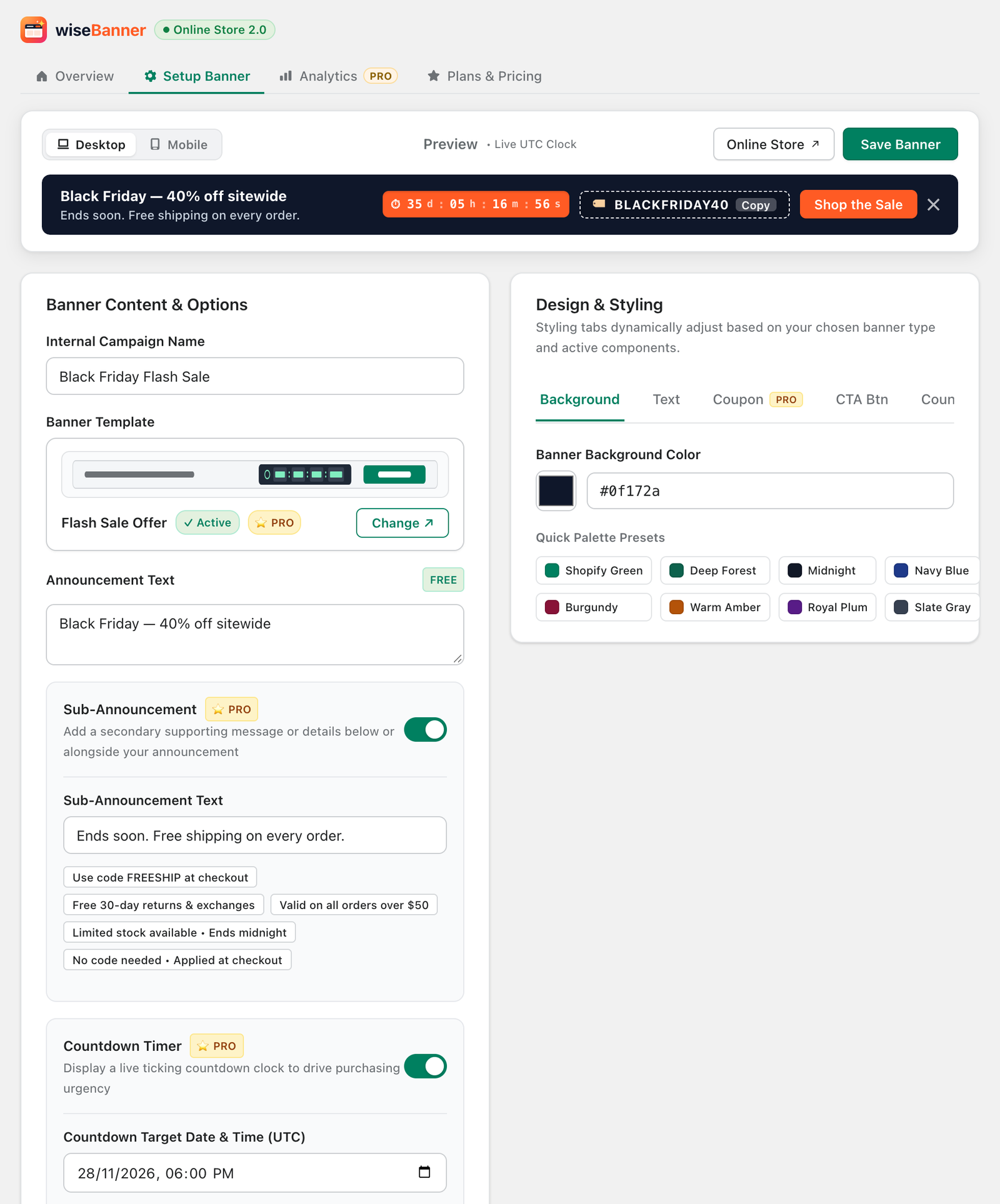
The Setup Banner page at a glance
The Setup Banner page has three areas: the Live Storefront Preview at the top, Banner Content & Options on the left and Design & Styling on the right. Every change shows in the preview instantly. Nothing goes live until you click Save Banner.