

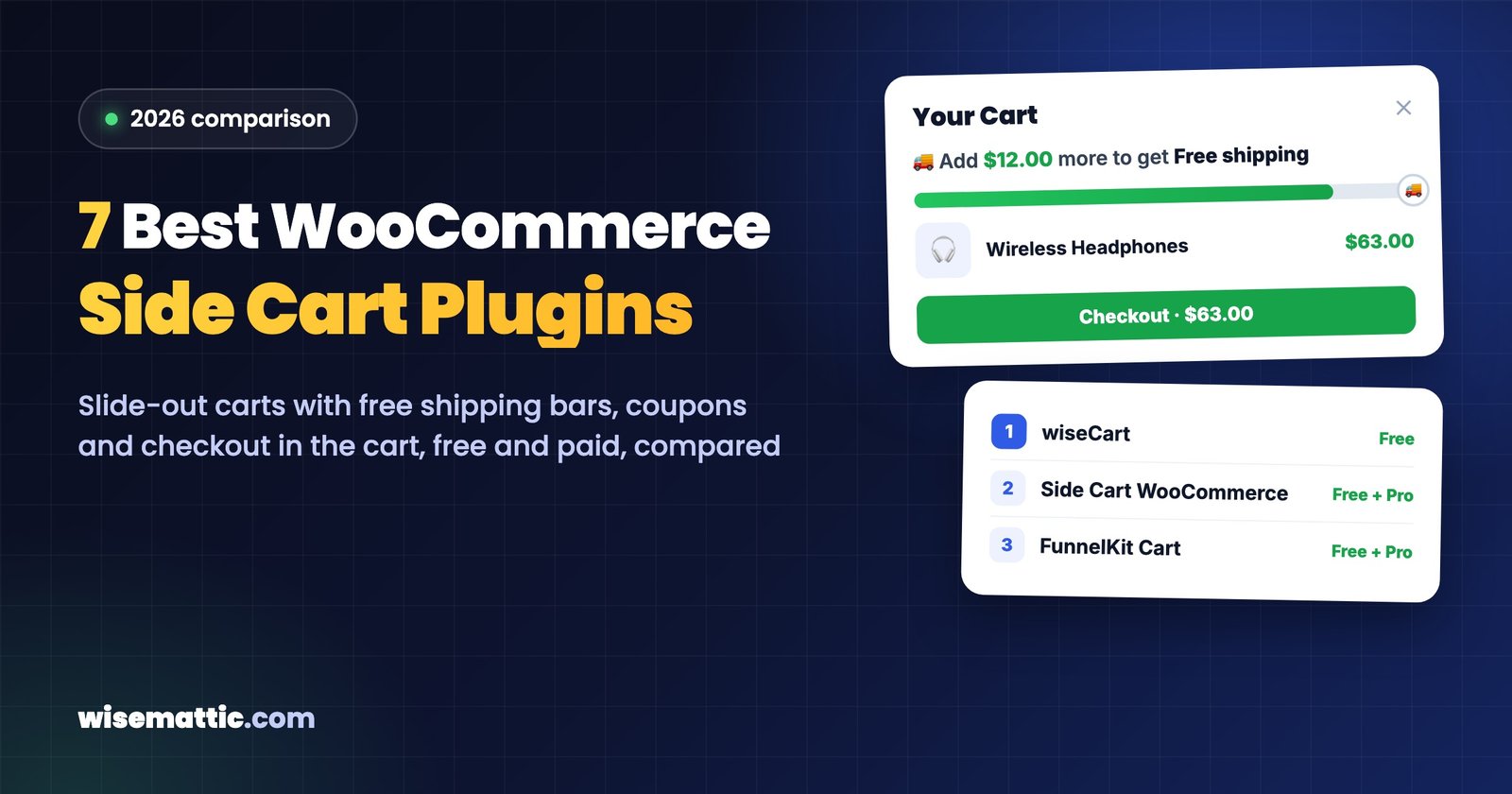
By default, adding a product in WooCommerce either reloads the page with a small notice or sends the shopper to the cart page. Both interrupt shopping. A side cart, also called a slide-out, fly-out or mini cart, opens a panel from the side of the screen instead: the shopper sees what is in the cart, changes quantities, and either checks out or keeps browsing, without leaving the page.
We compared seven WooCommerce side cart plugins on the features that change sales: a free shipping or reward bar, a coupon field, checkout inside the cart, product suggestions, and what is free versus paid. Ratings, install counts and prices were checked on October 31, 2026, on WordPress.org and each vendor’s website.
Disclosure: wiseCart is part of wiseCampaign, which is made by Wisemattic, the team behind this blog. We have listed it first and described its limits as plainly as the others’.
WooCommerce side cart plugins compared
| Plugin | Free shipping bar | Coupon field | Checkout in the cart | Paid plan from |
|---|---|---|---|---|
| wiseCart (wiseCampaign) | Free | Free | Free (full checkout form) | Free; Pro $59/year |
| Side Cart WooCommerce | Pro | Pro | Pro (express pay buttons) | $29 |
| FunnelKit Cart | Pro | Free | Express pay buttons | $149.50 first year (Plus plan) |
| Modern Cart | Free | Free | Express checkout | $99 first year |
| Caddy | Free | Free | Not stated | $99/year |
| WPC Fly Cart | Separate plugin | Premium | Premium (full checkout form) | $29 one-time |
| XT Floating Cart | Premium | Premium | Premium (full checkout form) | $59/year |
What to look for in a side cart plugin
- A reward or free shipping bar. “Add $12 more for free shipping” is the side cart feature most likely to raise order value.
- Quantity editing and a coupon field inside the cart, so shoppers don’t need the cart page at all.
- A fast route to payment: express pay buttons or a full checkout form in the panel.
- Product suggestions if upsells and cross-sells matter to your store.
- Mobile behavior and design control, since most shoppers will use it on a phone.
1. wiseCart (part of wiseCampaign)
wiseCart is the slide-out cart module of wiseCampaign, and it is free. It opens automatically after Add to Cart and includes product images, quantity pickers, remove buttons, a coupon field, the order subtotal, a Continue Shopping button and a reward progress bar that reads your WooCommerce free shipping minimum (“Add $12.00 more to get Free shipping”).
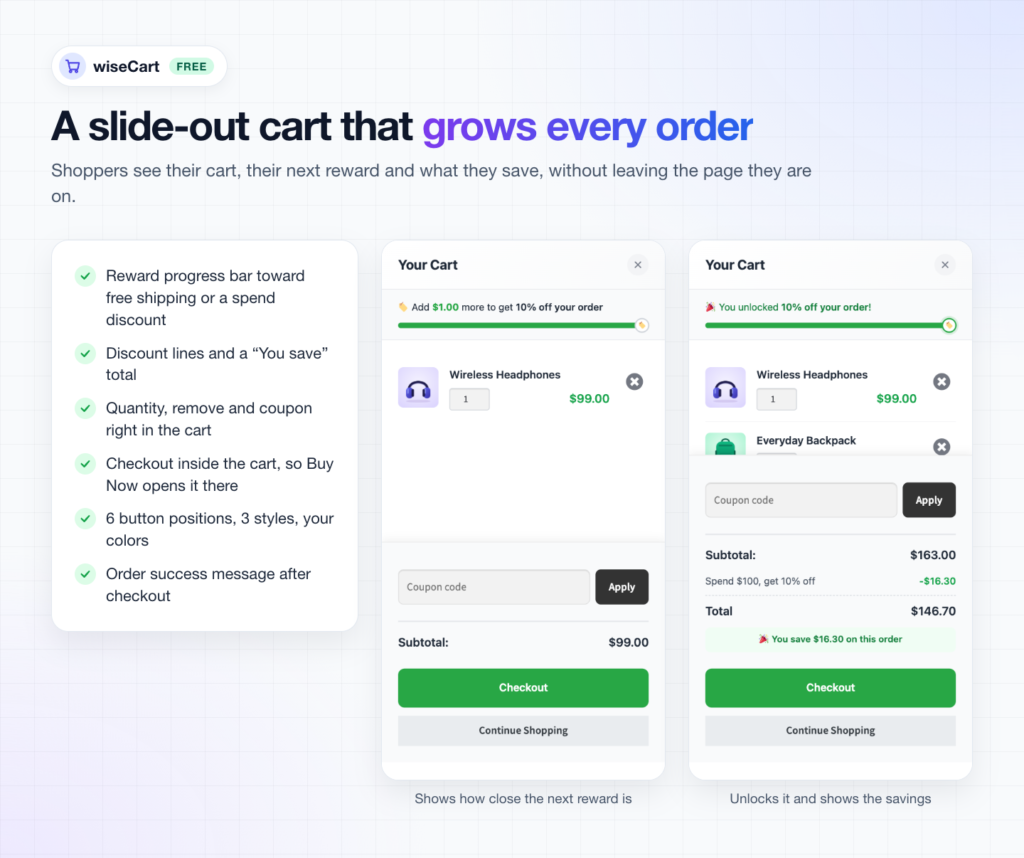
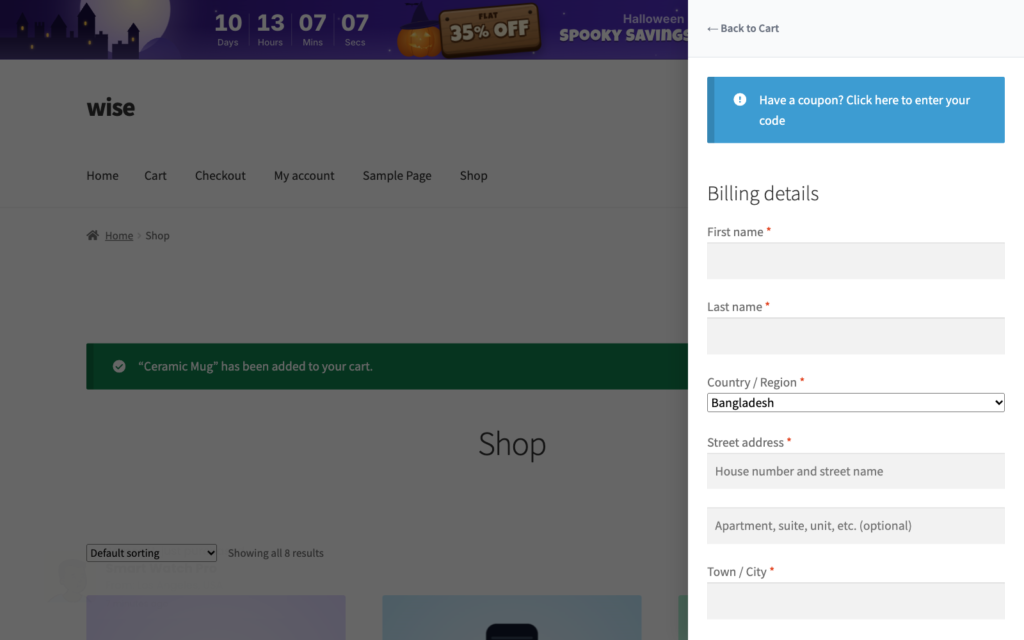
Two settings make it more than a mini cart. Go straight to checkout skips the cart and shows the checkout, and the Checkout page option shows the full WooCommerce checkout form inside the panel, so shoppers pay without leaving the page. You can also replace the cart page, so anyone who opens it is sent back to the shop with wiseCart open. After the order, a success message appears in the cart.
- Pricing: free on WordPress.org as part of wiseCampaign. wiseCampaign Pro ($59/year) adds Discount Manager spend goals to the same progress bar, plus discount types such as bulk pricing and BOGO.
- Pros: free shipping bar, coupon field and full in-cart checkout all free; comes with a top bar, stock urgency bar and sales popups in the same plugin.
- Cons: no product suggestions (upsells or cross-sells) in the cart yet, and a much smaller user base than the plugins below.
2. Side Cart WooCommerce (XootiX)
Side Cart WooCommerce is the most installed plugin in this list, with 70,000+ active installs and a 4.9 rating from 453 reviews. The free version gives you the side cart with a floating basket icon showing the item count, plus a shortcode and menu option.
Most sales features are in Premium: progress bars for free shipping, gifts and discounts, product suggestions in three layouts, a coupon field with a list of available coupons, express pay buttons (Google Pay, Apple Pay, PayPal, Amazon Pay), a shipping calculator and Save for Later.
- Pricing: Premium from $29 for one site, including one year of updates (renew yearly to keep getting them).
- Pros: the largest user base and most reviews; a low $29 Premium price.
- Cons: the progress bar, coupon field, suggestions and express pay all need Premium.
3. FunnelKit Cart (Sliding Cart for WooCommerce)
FunnelKit Cart (30,000+ active installs, 5.0 rating from 111 reviews) has a generous free version: a coupon field that can be open or collapsible, quantity editing, a floating cart icon and a shortcode for your header. It replaces the WooCommerce cart page and sends shoppers straight to checkout.
The Pro features, a milestone rewards bar (free shipping, free gift, discount) and product upsells in the cart, are not sold separately. They come with FunnelKit’s Plus plan or higher.
- Pricing: Pro features in the FunnelKit Plus plan, $149.50 for the first year for 2 sites, renewing at $299/year.
- Pros: a perfect rating; useful free version; a natural fit if you already use FunnelKit’s checkout and funnel tools.
- Cons: the rewards bar and upsells are only available inside a larger, more expensive bundle.
4. Modern Cart (Brainstorm Force)
Modern Cart comes from the team behind Astra and CartFlows. It joined WordPress.org in September 2025 and already has 60,000+ active installs, with a 4.9 rating from 16 reviews. The free version includes a free shipping bar, a coupon field, AJAX quantity editing, a floating cart icon and a separate mobile cart width.
Pro adds upsells and cross-sells and more coupon display styles. It works alongside CartFlows checkout and Cart Abandonment Recovery from the same company.
- Pricing: Pro $99 for the first year (up to 3 sites), renewing at $149/year; lifetime option available.
- Pros: free shipping bar and coupon field are free; mobile-first design.
- Cons: the default WooCommerce cart page stays in place, upsells need Pro, and the rating is based on few reviews so far.
5. Caddy
Caddy (3,000+ active installs, 3.9 rating from 20 reviews) has one of the most complete free versions: a free shipping bar, product recommendations in the cart, a coupon field, quantity editing, Save for Later for logged-in shoppers and a sticky cart bubble. It is built on the WordPress Interactivity API without jQuery and also takes over the WooCommerce mini-cart block.
Pro adds multi-tier rewards (shipping, gifts and discounts), rule-based recommendations and more position options.
- Pricing: Pro $99/year for one site. 14-day money-back guarantee.
- Pros: free recommendations and free shipping bar; modern code base.
- Cons: the smallest user base and lowest WordPress.org rating in this list.
6. WPC Fly Cart for WooCommerce (WPClever)
WPC Fly Cart (10,000+ active installs, 4.7 rating) focuses on the cart panel and the cart button: 16+ bubble icons, flexible positions and menu placement on handheld, primary or secondary menus. Removing items with undo is free.
Premium adds a coupon field and Instant Checkout, which opens the checkout form inside the fly cart. A free shipping bar is not included; WPClever sells it as a separate plugin.
- Pricing: Premium $29 one-time for one site, with lifetime updates and one year of support.
- Pros: one-time price; full checkout form in the cart.
- Cons: no built-in free shipping bar; AJAX add to cart on single product pages needs another WPClever plugin.
7. XT Floating Cart for WooCommerce (XplodedThemes)
XT Floating Cart (4,000+ active installs, 4.6 rating from 149 reviews) is known for its animated floating cart. The free version includes quantity editing, remove with undo and a floating cart icon on every page.
Premium adds a free shipping bar, a coupon field with available coupons, related, cross-sell and upsell suggestions, a PayPal Express button and a checkout form inside the cart, where the Checkout button becomes “Place Order”.
- Pricing: Premium $59/year for one site, or $9/month, or $179 lifetime; free trial and 30-day money-back guarantee.
- Pros: full checkout in the cart; flexible billing options.
- Cons: the free version is basic; the shipping bar, coupons and suggestions all need Premium.
Which side cart should you choose?
- Free shipping bar, coupons and checkout in the cart without paying: wiseCart.
- Upsells and recommendations in the cart for free: Caddy.
- The most proven option with a low Premium price: Side Cart WooCommerce by XootiX.
- You already use FunnelKit or CartFlows: FunnelKit Cart or Modern Cart, for the tighter integration.
- You prefer a one-time payment: WPC Fly Cart, or XT Floating Cart’s lifetime plan.
Whichever you choose, use only one side cart plugin at a time, and test it on your phone with your theme, payment methods and any checkout customizations before a busy sales period. For the full setup of a free shipping goal, see how to add a free shipping progress bar in WooCommerce.
Frequently asked questions
What is a side cart in WooCommerce?
A side cart is a panel that slides in from the side of the screen when a shopper adds a product. It shows the cart contents and totals and lets shoppers change quantities or check out without leaving the page they are on.
Does WooCommerce have a side cart built in?
WooCommerce includes a Mini-Cart block for block themes that opens a drawer with the cart contents. It does not include a free shipping progress bar, upsells or checkout inside the drawer, which is why many stores use a side cart plugin.
What is the best free WooCommerce side cart plugin?
It depends on the features you need for free. wiseCart includes a free shipping bar, coupon field and full checkout inside the cart. Caddy includes a free shipping bar and product recommendations. Modern Cart includes a free shipping bar and coupon field.
Does a side cart increase sales?
A side cart keeps shoppers on the page after they add a product, which makes it easier to keep shopping and harder to get lost between pages. Features such as a free shipping bar and in-cart suggestions can also raise order value. Measure your conversion rate and average order value before and after to see the effect in your own store.
Can I use a side cart and skip the cart page?
Yes. Several plugins in this list replace the cart page. In wiseCart, turn on the Cart page option and shoppers who open the cart page are sent to your shop with wiseCart open.

Leave a Reply