Basic Free
Ocean Gradient, Midnight Premium, Sunset Glow, BOGO Special, Hosting Promo
5 templates for any campaign
|

wiseBanner adds a sale bar to the top of your store with a countdown timer, a click-to-copy coupon code and a call-to-action button. A matching exit-intent popup offers one last deal before visitors leave. 26 templates, no code.
Cyber Week
80% off your first year of any Pro plan. Code BFCM80 is applied at checkout until December 5.
A live demo of a wiseBanner bar. Click the code to copy it; the timer counts down to midnight like the Flash Sale templates.
wiseBanner is the announcement bar module of wiseCampaign, a WordPress plugin by Wisemattic. It shows a bar on your site with a headline, a countdown timer, a click-to-copy coupon code, a call-to-action button and a promotional badge, and adds an exit-intent popup with a matching design.
Use it for flash sales, Black Friday and holiday campaigns, product launches and free shipping offers. It works on any WordPress site. WooCommerce is only needed to track the orders and revenue a banner brings in.
Page updated
Edit everything in one editor with a live desktop and mobile preview. Nothing goes live until you save.
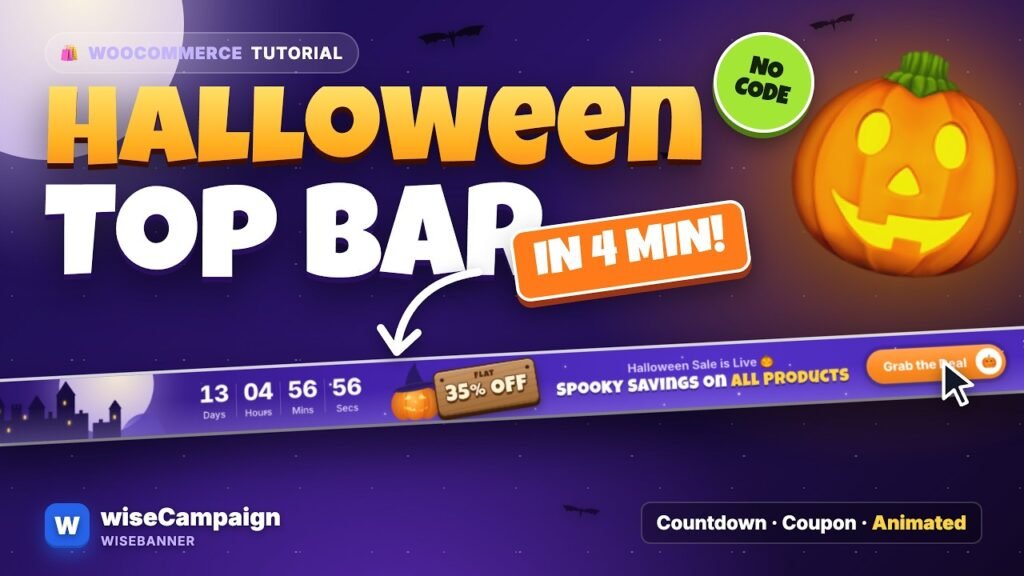
From installing wiseCampaign to a live sale bar with a countdown, a coupon and a call-to-action button, step by step in 3½ minutes.
Start with a free Basic design or a Pro seasonal template with an animated scene, an offer badge and a close button. Every template has a matching exit-intent popup.

Ocean Gradient, Midnight Premium, Sunset Glow, BOGO Special, Hosting Promo
5 templates for any campaignLightning Deal, Rocket Launch, Beat the Clock
Counts down to midnight and restarts every dayHaunted Night, Pumpkin Patch, Witching Hour
Counts down to the next HalloweenGold Rush, Red Alert, Cyber Monday
Counts down to the next Black FridaySnowy Village, Cozy Christmas, Santa’s Sleigh
Counts down to the next ChristmasMidnight Fireworks, Golden Countdown, Champagne Toast
Counts down to the next New YearHeart Balloons, Love Letter, Rose Garden
Counts down to the next Valentine’s DayMosque Skyline, Lantern Night, Golden Crescent
Counts down to the next EidWithout a Pro license you can still preview every seasonal template in the editor.
Free with the 5 Basic templates. Pro adds the Flash Sale and seasonal designs, effects, button animations and page targeting.
Most visitors leave without buying. The exit-intent popup catches them at the last moment with a coupon, a countdown and a button. It runs next to your bar, with its own template, text and display pages.
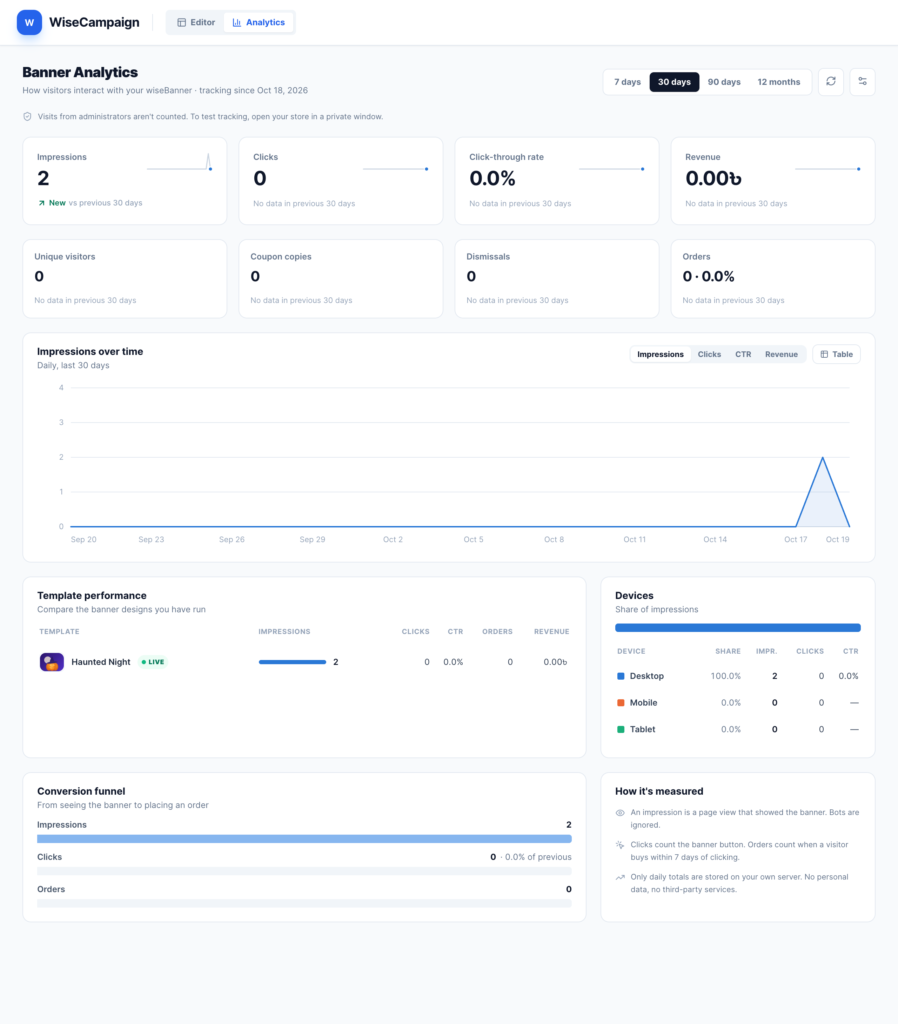
Open Analytics at the top of the editor and pick 7 days, 30 days, 90 days or 12 months.
Go to WordPress Dashboard > WiseCampaign > wiseBanner. Everything below happens in that one editor.
Click Change Template, preview the designs and click Use Template. Basic designs are free; seasonal designs are Pro.
Write the headline, add the coupon code, set the countdown end date and the button link, then adjust colors and fonts in the Design tab.
Pick All Pages or specific pages, the position and the close button, click Save Changes and check that Banner Status says Currently Active.
Pro adds the seasonal designs, effects, page targeting, bottom and sticky bars, and revenue tracking.
| Feature | Free | Pro |
|---|---|---|
| 5 Basic templates | ✓ | ✓ |
| 21 seasonal templates with animated scenes | — | ✓ |
| Headline, click-to-copy coupon, button and badge | ✓ | ✓ |
| Countdown timer with automatic restart | ✓ | ✓ |
| Gradient, solid color or image background | ✓ | ✓ |
| Background effects and button animations | — | ✓ |
| Show on all pages | ✓ | ✓ |
| Show on the home page or selected pages | — | ✓ |
| Banner at the top of the page | ✓ | ✓ |
| Banner at the bottom, sticky banner and close button | — | ✓ |
| Exit-intent popup with the Basic templates | ✓ | ✓ |
| Exit-intent popup with Flash Sale and seasonal designs | — | ✓ |
| Hide “Made with wiseCampaign” | — | ✓ |
| Analytics: impressions, clicks, CTR, coupon copies, devices | ✓ | ✓ |
| Analytics: orders, revenue and conversion funnel | — | ✓ |
Pro unlocks every wiseCampaign module too, including the Discount Manager. From $59 per year, with a 14-day money-back guarantee.
Reviews from WordPress.org, where wiseCampaign is rated 5.0 out of 5.
Must-Have Plugin!
wiseCampaign makes creating banners and managing campaigns so easy! Great features, simple setup, and excellent targeting options.
Great
Great Tool for Marketers! wiseCampaign made adding banners and promotions to my site effortless. Simple, effective, and highly recommended!
Good for banners with countdowns
Looks cool. Easy to use for promotional banners with countdown.
About the top bar banner, the countdown and the exit-intent popup.
wiseBanner is the announcement bar module of the wiseCampaign plugin for WordPress. It shows a top bar banner with a headline, a countdown timer, a click-to-copy coupon code, a call-to-action button and a promotional badge, plus an optional exit-intent popup with a matching design. It comes with 26 templates and needs no code.
Install wiseCampaign from Plugins > Add New, then go to WiseCampaign > wiseBanner. Click Change Template and pick a design, add your headline, coupon code, countdown and button in the Content tab, choose where the bar shows in the Settings tab, and click Save Changes.
Most of it is. The free version includes 5 Basic templates, the headline, coupon code, countdown with automatic restart, button and badge, all backgrounds, the top position on all pages, the exit-intent popup with Basic templates, and analytics for impressions, clicks and coupon copies. wiseCampaign Pro, from $59 per year, adds 21 seasonal templates, background effects, button animations, page targeting, bottom and sticky bars, a close button, hiding the branding, and order and revenue tracking.
No. wiseBanner works on any WordPress site. Only the orders and revenue analytics need WooCommerce.
Yes. Turn on Restart Countdown and choose how often it starts again, in days, hours or minutes. Flash Sale templates count down to midnight and restart every day, and seasonal templates count down to the next holiday for you. Without a restart, the timer shows 00 when it ends and the bar stays on your site, so switch the banner off when your sale is over.
With wiseCampaign Pro, yes. Turn off All Pages and choose the home page and any other pages, such as Shop, Cart or Checkout. The free version shows the banner on all pages.
wiseBanner shows one banner at a time. Change its template and content whenever your campaign changes. You can run an exit-intent popup next to it, with its own design and display pages.
It opens only when a visitor is about to leave, at most once per visit, and never on the WooCommerce checkout page. You choose how long to wait before it can show again, visitors who click the button or copy the code won’t see it for 30 days, and they can close it with the close button, the “No thanks” link, the Esc key or a click outside the popup.
When a visitor clicks the banner or popup button, a first-party cookie (wise_banner_ref) records the click for 7 days. An order placed in that time counts for the banner, and the cookie is removed once the order is counted. Analytics stores only daily totals in your own WordPress database, with no IP addresses or personal data.
Your settings are kept, but the banner uses the free options until you renew: it shows at the top, is not sticky, shows the branding link, has no effects or button animation, and seasonal templates use the basic layout.
One plugin, one dashboard. Turn on the modules you need.