
Boost AOV with “Buy X for a Fixed Price” Bundles
The Buy X for a Fixed Price module is a powerful tool for creating high-value bundles. By offering a set number of items for a single, attractive price (e.g., “Any 10 items for $100”), you encourage customers to add more to their cart to reach the bundle threshold, directly increasing your Average Order Value (AOV).
Here is how to set up and customize this feature in wiseCampaign.
Step 1: Create the Discount Campaign
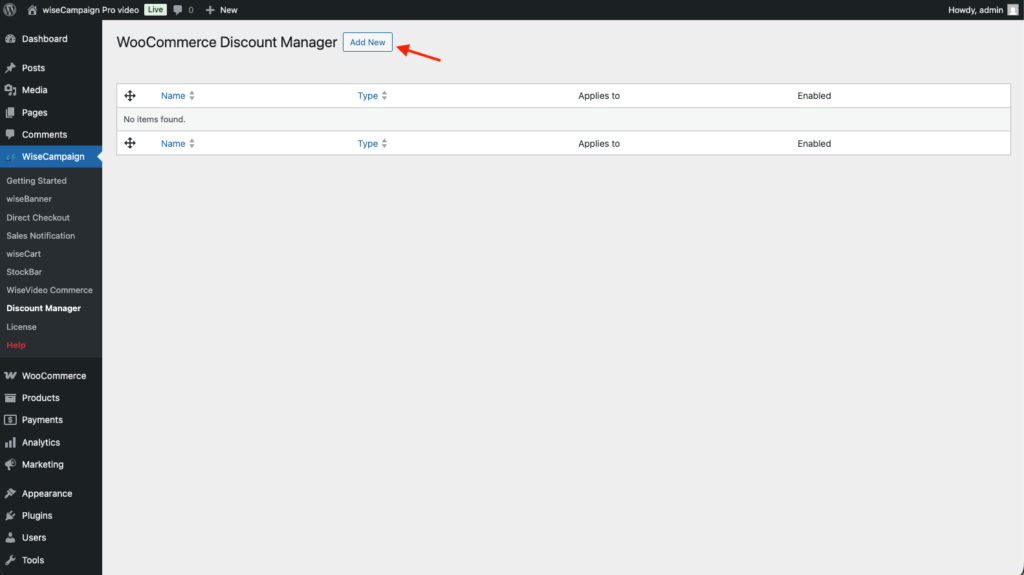
- Navigate to wiseCampaign > Discount Manager and click Add New.
- Select the Buy X for a fixed price card from the list of discount types.
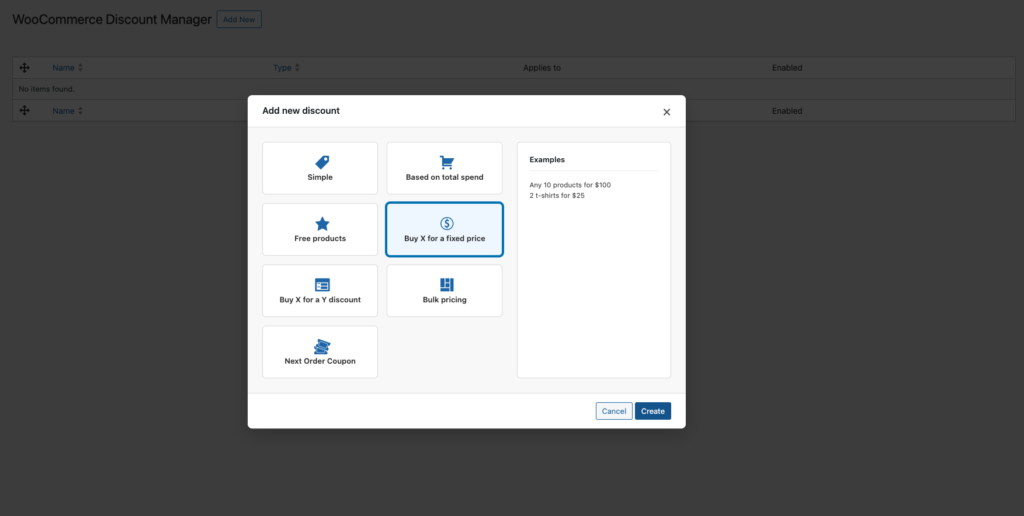
Click Create to open the configuration dashboard.
Step 2: Set Your Bundle Rules
In the Discount Rules section, define the core logic of your offer:
- Quantity: The exact number of items the customer must select (e.g., 10).
- Fixed Price: The total price for that specific quantity (e.g., 100).
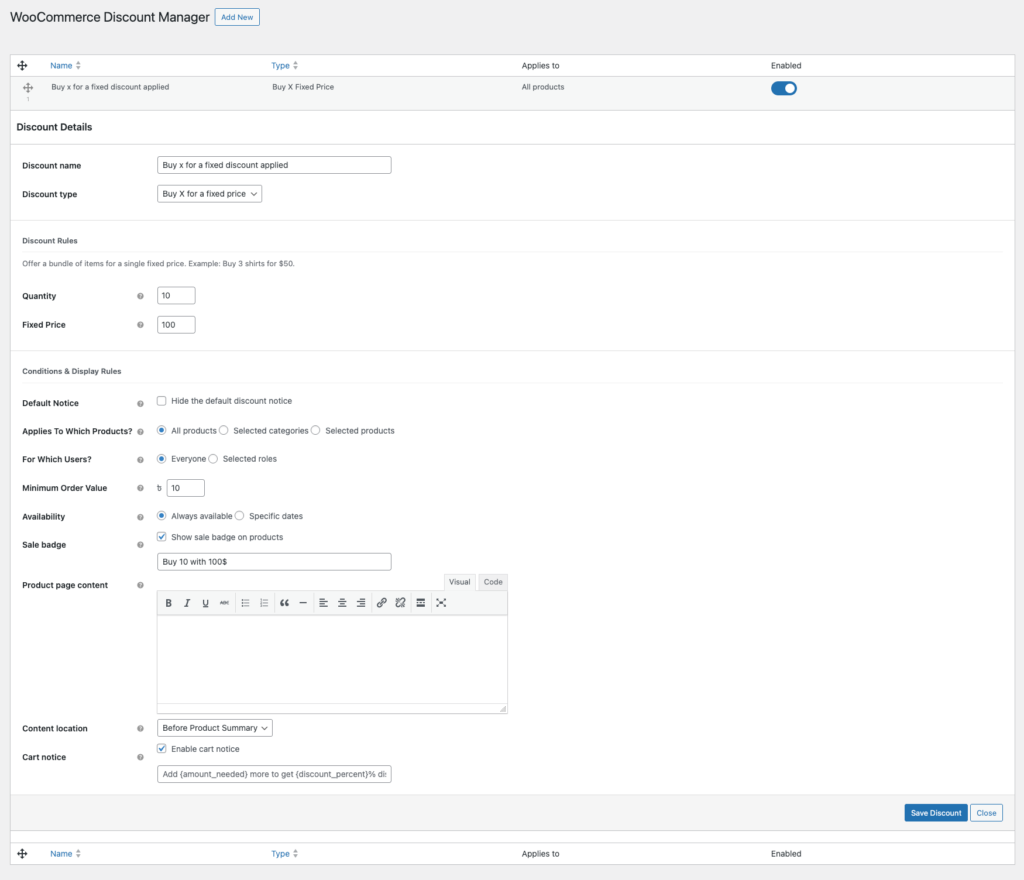
Example: Setting Quantity to 10 and Fixed Price to 100 means that once a user adds 10 eligible items to their cart, the total for those items will automatically adjust to 100, regardless of their individual prices.
Step 3: Configure Conditions & Visual Cues
To maximize conversions, make the offer impossible to miss:
- Applies To: Choose whether this bundle applies to All products or specific Categories (great for “Mix & Match” style sales).
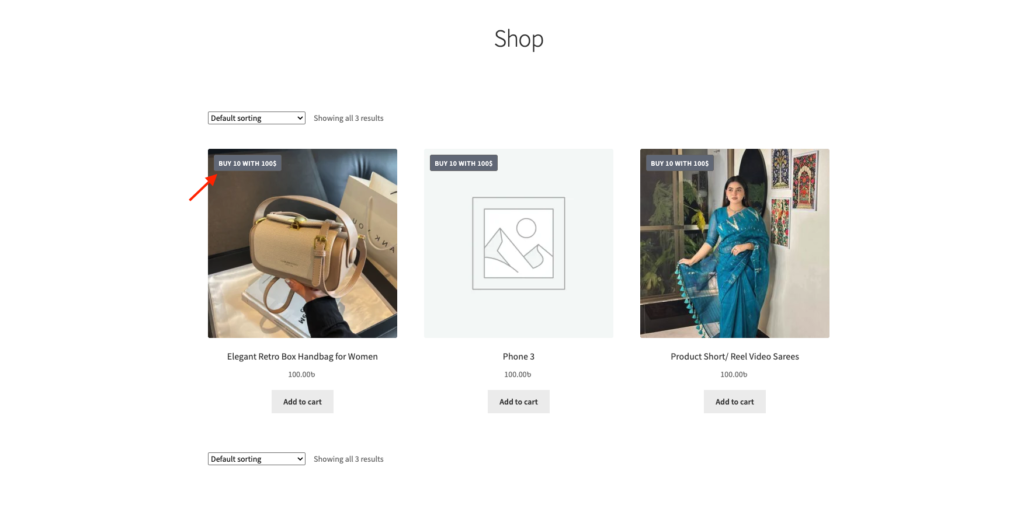
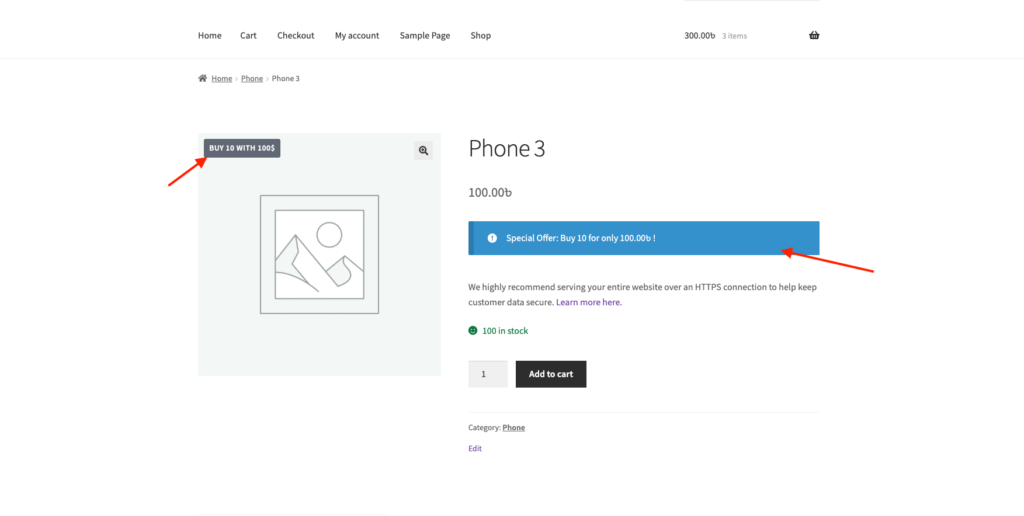
- Sale Badge: Enable this and enter custom text like “Buy 10 with 100$”. This badge will appear on your shop and category pages.
- Product Page Content: Use the editor to add a notice that appears on individual product pages (e.g., “Special Offer: Buy 10 for only 100.00!”).
- Cart Notice: Enable this to show a dynamic message in the cart. You can use placeholders to tell the customer exactly how many more items they need to add to unlock the bundle price.
Why This Strategy Works for AOV
- Incentivizes Bulk Buying: Customers who only intended to buy 2 or 3 items will often search for more products just to “hit the goal” and get the special deal.
- Simplified Decision Making: Fixed-price bundles reduce “price friction.” The customer knows exactly what the total will be, making them more comfortable adding higher-priced items to the bundle.
- Clears Inventory: This is an excellent way to move high volumes of smaller items or accessories quickly while ensuring every sale meets a minimum revenue target.
Storefront Experience
- Shop Gallery: A clear badge (e.g., “BUY 10 WITH 100$”) highlights the value proposition before the customer even clicks a product.
- Product Detail Page: A prominent blue notice bar reinforces the deal right at the point of decision, encouraging the user to “Add to Cart.”
- Cart Feedback: The dynamic cart notice acts as a progress bar, gamifying the shopping experience by showing the user how close they are to the $100 deal.
Pro Tip: Set a Minimum Order Value condition if you want to ensure this bundle is only available once a specific spending floor is met for the rest of the cart!