
Buy X for a fixed price creates bundle deals such as “Any 3 mugs for $45”. When the shopper has the set number of eligible items in the cart, they pay the bundle price for them.
Step 1: Create the discount
- Go to wiseCampaign → Discount Manager.
- Click Add New Discount in the top right corner.
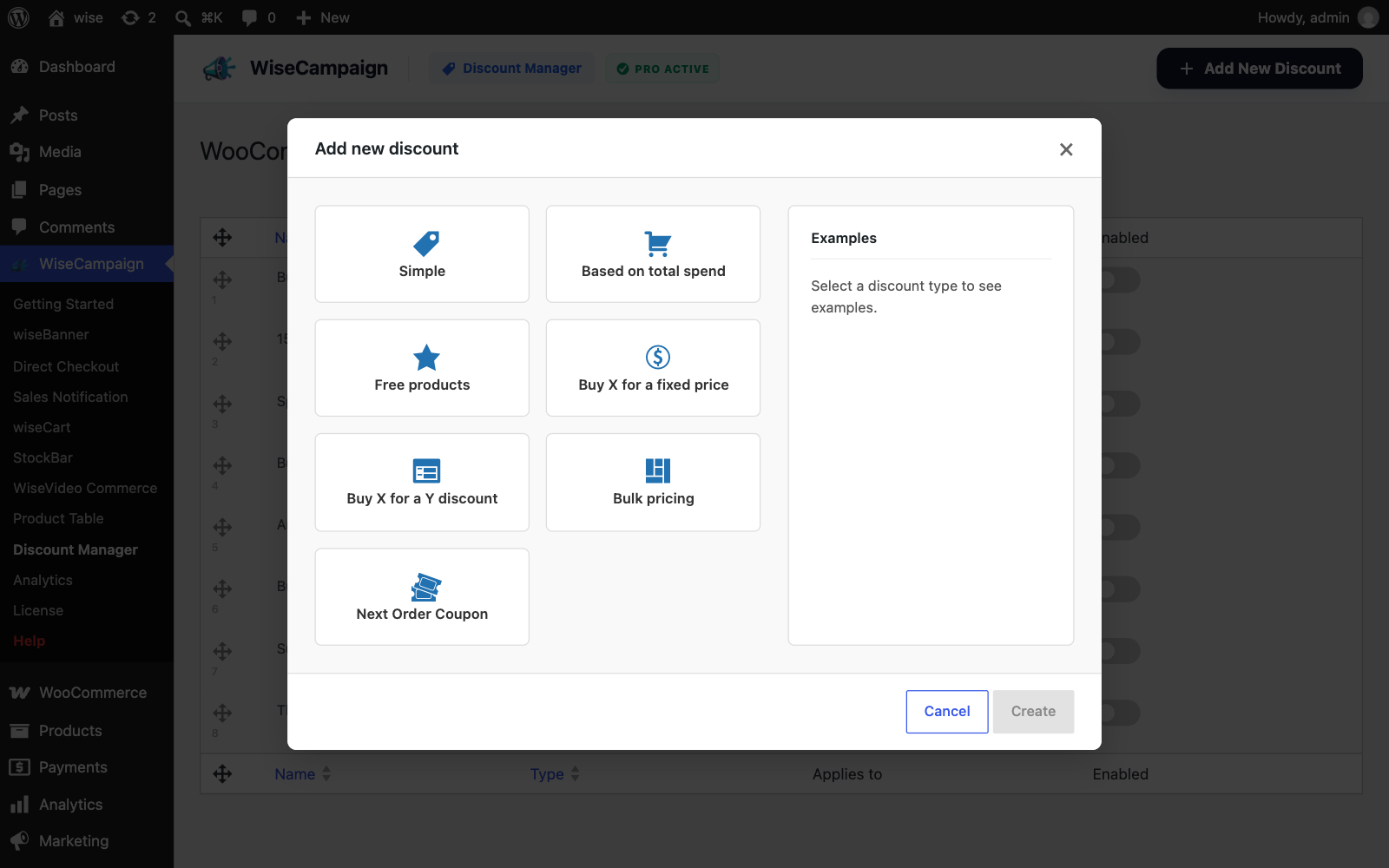
- In the Add new discount window, choose Buy X for a fixed price. The right side shows examples of what this type can do.
- Click Create. The discount form opens.
Step 2: Set the bundle
- Quantity: the number of items in the bundle, for example 3.
- Fixed Price: the total price for those items, for example 45.
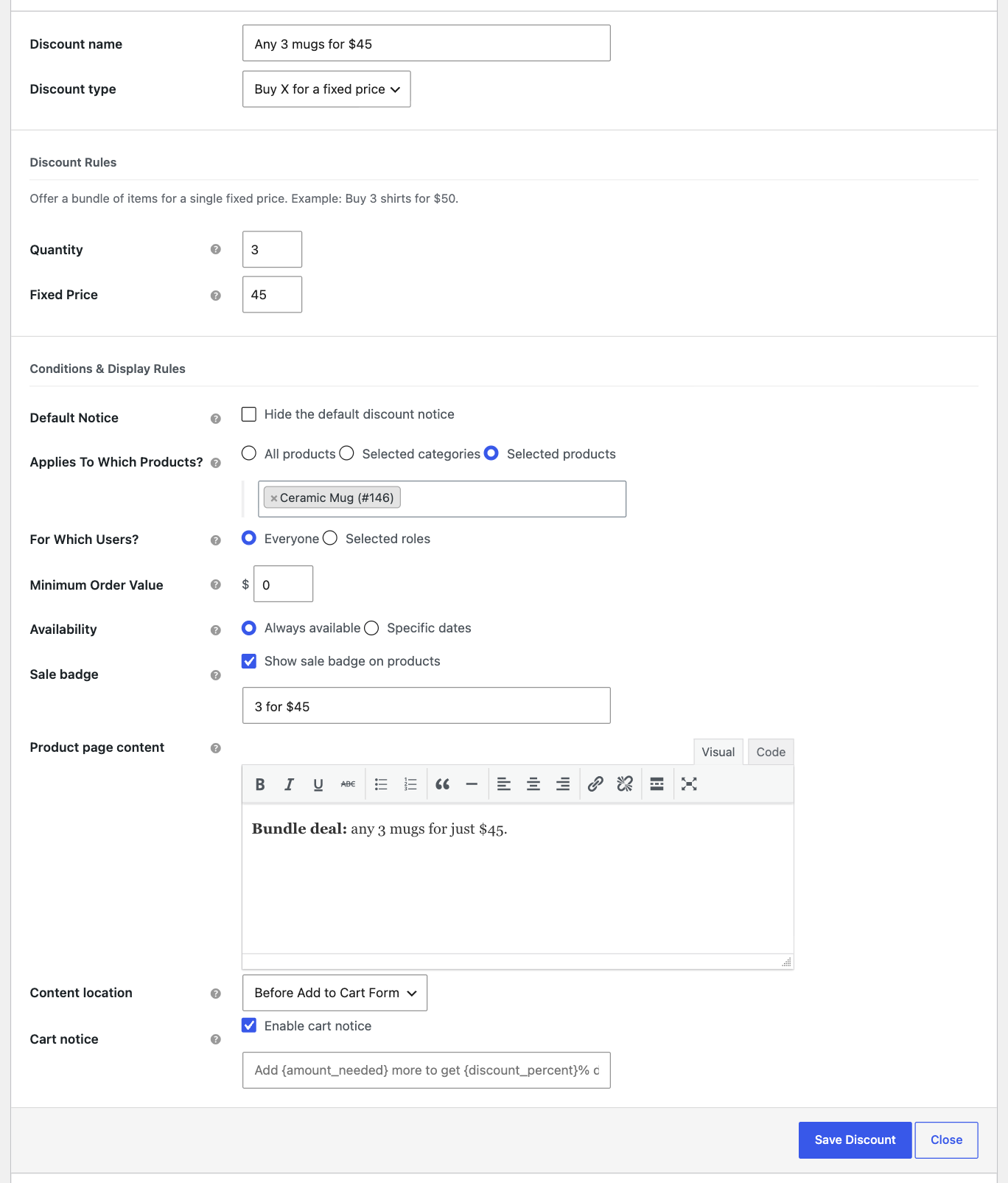
Choose the products or categories the bundle covers under Applies To Which Products?. Choosing a category makes it a “mix and match” bundle.
Step 3: Choose where the discount applies and how it is shown
The Conditions & Display Rules section is the same for every discount type:
- Applies To Which Products? All products, selected categories, or selected products.
- For Which Users? Everyone, or only users with selected roles (for example Customer or Wholesale).
- Minimum Order Value: the cart total needed before the discount applies. Use 0 for no minimum.
- Availability: always available, or only between specific dates. With specific dates you can also show the promotion dates and a countdown timer on the product page.
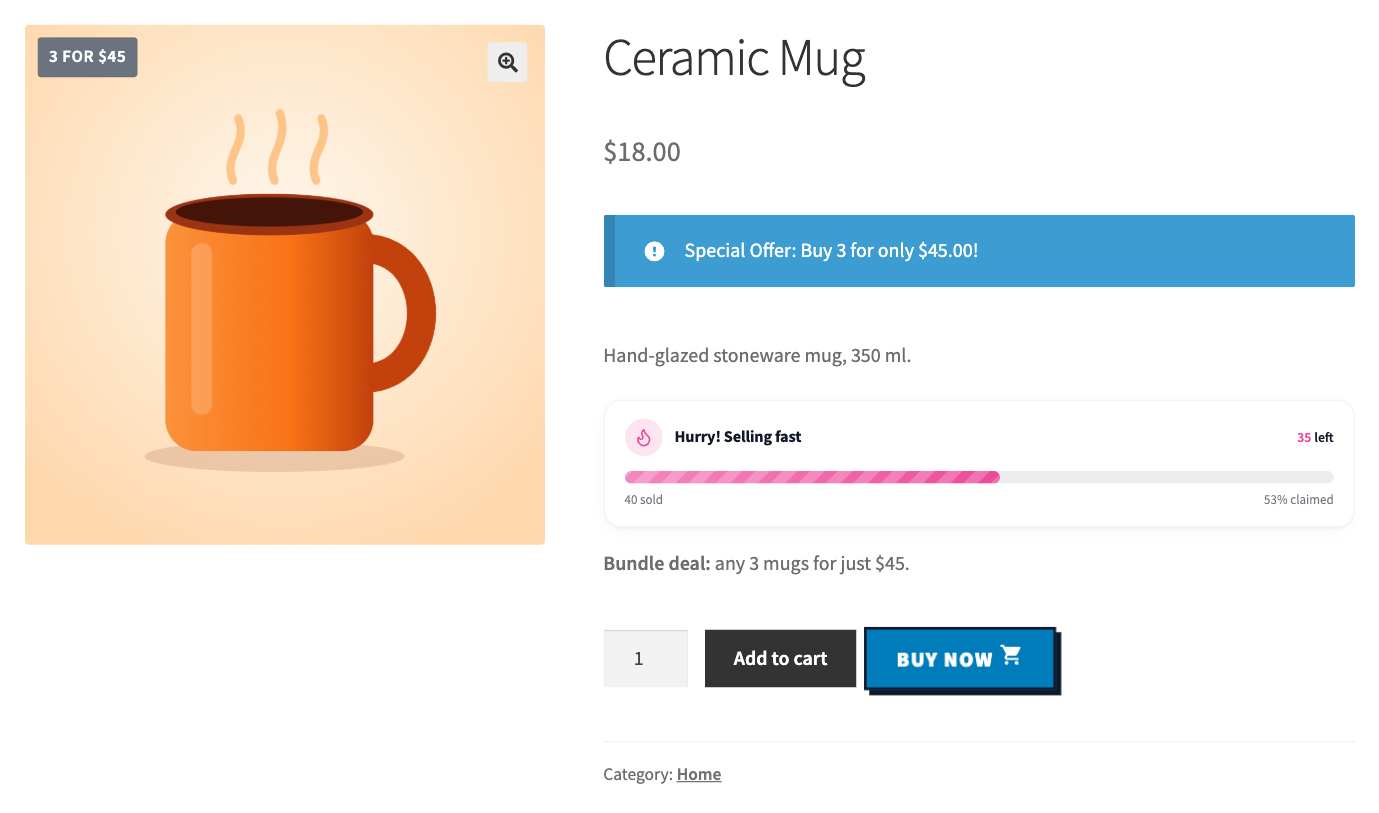
- Sale badge: shows your badge text on product images in the shop and on the product page.
- Product page content: your own message (text, images, styling) shown on eligible product pages, with Content location to choose where it appears.
- Default Notice: tick Hide the default discount notice if you only want your own message, not the automatic “Special Offer” notice.
-
Cart notice: a notice in the cart and checkout. You can write your own text with the placeholders
{amount_needed},{discount_percent},{discount_amount},{discount_title}and{min_order_value}.
Step 4: Save the discount
Click Save Discount. The new rule appears in the Discount Manager list and starts working right away. Use the switch in the Enabled column to pause or resume it at any time.
How it looks in your store
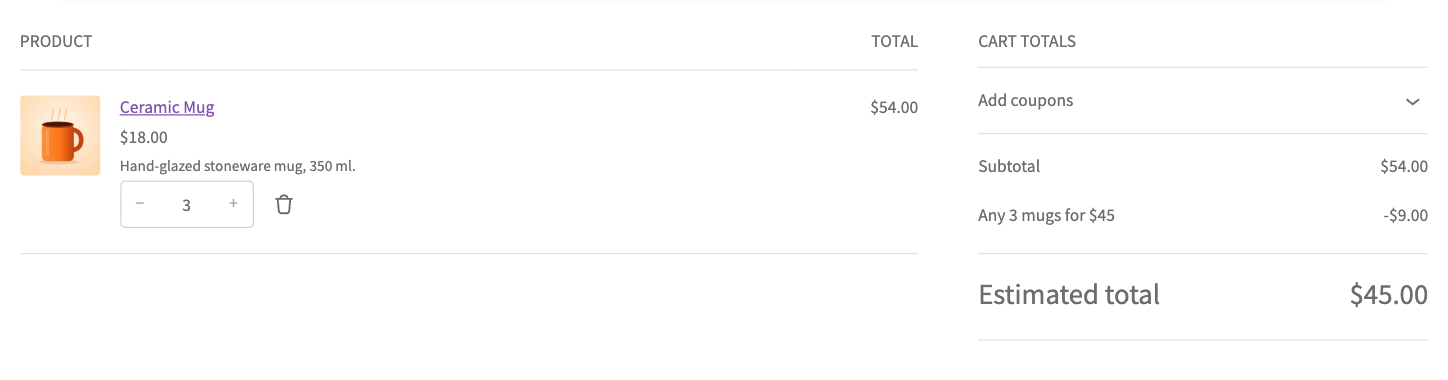
With 3 mugs in the cart, the bundle price applies:
Why it works
- Shoppers who planned to buy one or two items add more to reach the bundle.
- A clear total price (“3 for $45”) is easier to decide on than a percentage.
- It is a good fit for accessories, consumables and gift sets.